What to Do When Cell Service Fails During Disaster
Last Updated: October 23, 2026
Quick Summary
What to do when cell service fails during disaster is to first confirm the outage and your safety, attempt emergency contact only if needed, cut battery drain by enabling airplane mode, check for emergency alerts, and switch to backup communication methods like texts, Wi-Fi messaging apps, two-way radios, or satellite devices. Knowing these steps in priority order can mean the difference between panic and effective action.
- Try one call and one text to confirm outage, then stop retrying to preserve battery.
- Enable airplane mode immediately, then turn Wi-Fi back on only if you have a known network.
- Texts use far less data than voice calls and often get through when calls cannot.
- Keep a battery-powered or hand-crank NOAA weather radio to receive emergency alerts when cell service is down.
- Designate an out-of-area emergency contact in a different state or region for your family communication hub.
Table of Contents
- First Minutes: Immediate Actions When Cell Service Fails
- How to Communicate Without Cell Service or Internet
- Emergency Communication Devices That Work Without Cell Service
- Build an Emergency Communication Plan for Family
- Getting Emergency Information When Networks Are Down
- Backup Power and Battery Management
- Practice Your Plan and Stay Prepared
- Frequently Asked Questions
First Minutes: Immediate Actions When Cell Service Fails
Step 1: Confirm the outage and your safety (first 60 seconds). Try one call and one text; if neither goes through, stop retrying, each attempt drains battery.
Step 3: Cut battery drain immediately. Turn on airplane mode, then turn Wi-Fi back on only if you have a known network.
Step 4: Check for emergency alerts. Alerts may still arrive when regular service is down, since alert systems use separate broadcast channels.
Step 5: Move only if it is safe and useful. Sometimes moving a few blocks or to an upper floor restores a signal.
Step 6: Switch to your backup communication method. Once safe and conserving power, move to the next section's methods: text first, then Wi-Fi messaging apps, then radios or satellite devices. The goal of the first minutes is to preserve battery and safety so you can communicate later.
How to Communicate Without Cell Service or Internet
When cell networks fail, multiple backup options exist. Know which work in your situation and have them ready beforehand.
Text Messaging vs. Voice Calls
Texts use far less data and network capacity than voice calls, so they often get through during congestion when calls cannot. SMS also runs on older, more resilient infrastructure.
Texts still depend on cellular networks; if service is completely gone, SMS won't work either. Voice calls have one advantage: they trigger priority routing on emergency networks in some regions, making them slightly more likely to connect during extreme congestion.
The practical choice: try texts first, faster and less power. If texts fail, attempt voice calls only if genuinely urgent, and save battery for other methods.
Wi-Fi and Messaging Apps
Wi-Fi calling works when cell service doesn't, but only if Wi-Fi is available. Most smartphones support it natively; enable it in settings before disaster strikes. It lets you make calls and send texts through any Wi-Fi network.
Messaging apps like WhatsApp, Signal, and Facebook Messenger work over Wi-Fi or any internet connection. The catch: everyone you contact must have the same app installed.
Wi-Fi access during disasters is unreliable: power outages knock out routers, damaged infrastructure cuts internet lines, and public networks get overwhelmed.
Plan for Wi-Fi as a secondary option, not your primary backup. Have the apps installed and know your contacts' usernames. But don't depend on it.
Emergency Communication Devices That Work Without Cell Service
Devices that don't rely on cellular networks or the internet are your most reliable backup. They work when everything else fails.
Two-Way Radios and Walkie-Talkies
Two-way radios communicate directly between devices without any network, so they work during complete infrastructure collapse. Range varies: cheap consumer radios reach 1-2 miles in open areas, less in buildings; professional-grade radios reach 5-10 miles or more.
The major limitation: everyone you want to reach must have a radio on the same frequency. They're excellent for family in the same location or neighborhood, useless for contacting people across town.
FRS (Family Radio Service) radios are legal in most countries without licensing. They're affordable and reliable. Buy quality models with weather alerts. Test them before disaster strikes to confirm they work in your environment.
Satellite Phones and Satellite Communication
Satellite phones work anywhere with a clear view of the sky, independent of ground infrastructure, during complete power outages, earthquakes, floods, and widespread network failures.
Satellite phones are the premium option for guaranteed communication when everything else fails. For most households, the cost doesn't justify the benefit unless you live remotely or travel frequently to places without cellular coverage.
Treat satellite communication as a backup for your backup: valuable insurance for worst-case scenarios, but not a practical primary solution for most families.
Build an Emergency Communication Plan for Family
A communication plan only works if everyone knows it before disaster strikes. When panic sets in, people revert to habits, dialing normal numbers, going to familiar places.
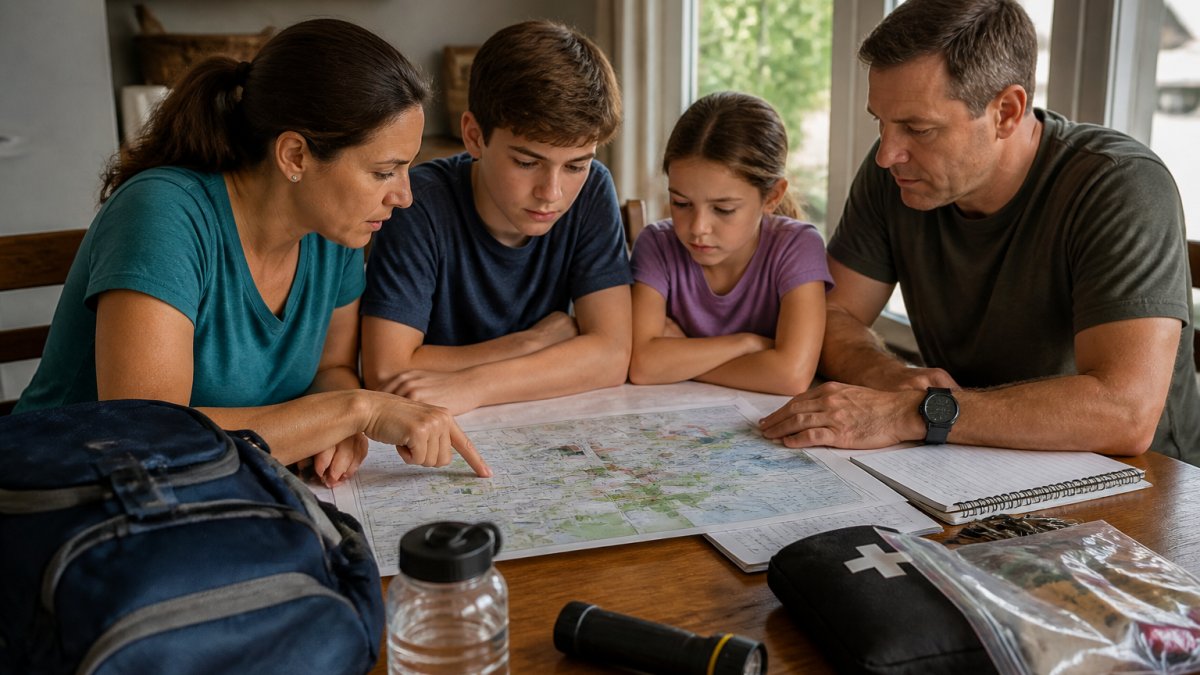
Your plan needs three core elements: backup communication methods everyone will actually use, designated meeting locations, and an out-of-area contact.
Write it down, print it, and give copies to every family member. Store one in your car, home, and workplace, digital copies are useless if phones are dead or lost.
Choosing Meeting Locations and Evacuation Routes
Identify a primary meeting location near your home where family members can reunite if separated. Choose a hard-to-miss landmark, a specific intersection, community center, or school, reachable on foot if roads are impassable.
Identify a secondary meeting location outside your neighborhood in case your home area is unsafe: a relative's house across town, a shopping center, or a park, anywhere recognizable and accessible.
Map evacuation routes from your home to both meeting locations, walk them together, discuss what to do if roads are blocked, and identify alternate routes.
Designating an Out-of-Area Emergency Contact
Pick one person outside your immediate area, ideally in a different state or region. During major disasters, local networks fail but long-distance calls sometimes still work. This person becomes your family's communication hub.
Give every family member this person's phone number. Write it down. Memorize it if possible. When disaster strikes, family members call or text this contact to report their location and status.
This works because one long-distance call often succeeds when ten local calls fail. It's a proven method used by emergency responders and disaster relief organizations.
Choose someone reliable who answers their phone. Brief them on their role. Make sure they understand they might receive calls from multiple family members reporting different information.
Getting Emergency Information When Networks Are Down
During disasters, misinformation spreads faster than facts. You need reliable information sources that work without internet or cell service, and you need a way to verify what you hear before acting on it.
Official alerts and broadcast sources. Battery-powered or hand-crank radios receive official emergency broadcasts about what's happening, where help is available, and what actions to take; every household should own at least one.
Verify before you act. Misinformation spreads rapidly during disasters, and false reports about contaminated water, unsafe areas, or fake rescues can cause real harm. Stick to official sources: government agencies, established news outlets, and emergency services.
Accessibility and communication needs. People who are deaf or hard of hearing may not hear radio or siren alerts.
Local information and word-of-mouth. Ask neighbors what they've heard, but cross-check against broadcast sources, someone nearby may have information from a working radio or car radio. Treat it as a lead, not a conclusion. If you have a working vehicle, its radio is a reliable information source and can also charge your phone while you listen.
Backup Power and Battery Management
Your communication devices are useless without power. Every backup communication method depends on batteries or charging capability.
Invest in portable battery banks for phones. Buy multiple banks with different capacities. Store them fully charged in accessible locations.
Hand-crank chargers work without electricity. They're slow, but they work. Keep one in your emergency kit and one in your car.
Solar chargers work during daylight. They're slow but reliable for long-term power needs.
For two-way radios, buy extra batteries. Store them in a cool, dry place. Alkaline batteries last longer in storage than rechargeable batteries.
Reduce power drain on your phone. Turn off Bluetooth, Wi-Fi, and location services. Lower screen brightness. Close unnecessary apps.
Practice Your Plan and Stay Prepared
A plan that hasn't been tested won't work when you need it. Practice creates muscle memory. When panic hits, people do what they've practiced.
Run a communication drill twice yearly. Everyone tries contacting the out-of-area contact person. Family members practice reaching meeting locations on foot.
Involve children in drills. Teach them the out-of-area contact's phone number. Walk them through evacuation routes. Explain why backup communication matters.
Update your plan when circumstances change. New job location? Update evacuation routes. Family member moves? Update contact information.
Keep emergency supplies accessible: store flashlights, batteries, first aid kits, water, and non-perishable food where family members can find them quickly, and label everything clearly.
At FlintReady, we emphasize that emergency preparedness isn't about fear, it's about capability.
Communication failure during disasters is terrifying only if you're unprepared. Then take our three-minute readiness diagnostic to identify other gaps in your household's disaster preparedness.
Frequently Asked Questions
What should I do first when cell service fails during a disaster?
First, confirm the outage is widespread by checking with neighbors or listening to local radio. Move to higher ground if safe to do so, as elevation sometimes restores weak signals. If you have an out-of-area contact, try calling them from a landline or Wi-Fi. Locate your family members using pre-arranged meeting places. Preserve your phone battery by turning off data, reducing brightness, and switching to airplane mode until you need to communicate. If you need emergency help, use any available phone to dial 911, emergency calls sometimes route through different networks than standard service.
How long can cell service typically be down after a disaster?
Duration depends on the disaster type and infrastructure damage. Network congestion from overloaded systems can last minutes to hours. Physical damage to towers and equipment may cause outages lasting days or weeks. Major events like earthquakes or hurricanes affecting multiple regions can disrupt service across wide areas for extended periods. This is why redundancy in your communication plan matters, text messaging uses less network capacity than voice calls and may work when calling cannot. Having backup devices like two-way radios or satellite phones ensures you can communicate regardless of cellular network status.
Should I text or call when cell networks are overloaded during a disaster?
Text messaging during a disaster. SMS (Short Message Service) uses far less network bandwidth than voice calls, so texts are more likely to go through when networks are congested. Voice calls demand constant connection and more data, making them fail first during overload. If texting succeeds, follow up with a call only when necessary. Social media and messaging apps like WhatsApp or Facebook Messenger work if you have internet access, but they require more data than SMS. For critical emergencies where you must reach 911, voice calls have priority routing, but try texting 911 first if your carrier supports it, many now do.
What emergency communication devices work without cell service or internet?
Two-way radios and walkie-talkies operate on independent frequencies and work within line-of-sight range without any network. Satellite phones connect to satellites rather than ground towers, functioning anywhere with clear sky view, though they are expensive and require a subscription. CB radios and amateur (ham) radios provide long-range communication for those with proper licensing. Backup power banks ensure your phone stays charged for any available communication method. Family alert systems and emergency radios with NOAA weather alerts keep you informed without cellular dependency. Most reliable households combine multiple methods: radios for local family coordination, a satellite phone for out-of-area contact, and charged backup batteries for phones.
